
Karaoke is often associated with late nights and neon lights, but at its heart, it’s about the simple joy of singing together. Whether it’s a rainy day or a holiday gathering, Singa is the perfect tool to turn your living room into a world-class stage for all ages.
But how do you ensure the playlist stays family-friendly while keeping the teenagers and grandparents engaged? Here is your ultimate guide to hosting a stress-free, family-friendly karaoke party using Singa.
How to set up family karaoke at home
You don't need a karaoke machine or a dedicated room. Singa is designed to work with the tech you already own.
What you need:
- The Singa app (available on iOS, Android, desktop, and Smart TV)
- A TV screen, connected via AirPlay, HDMI, or screen mirroring
- A Bluetooth speaker or your TV's built-in speakers
- Optional: a microphone (a Bluetooth karaoke mic works great, or just use the phone's built-in mic to get started)
Once you're set up, you can browse songs from your phone while someone else is singing on screen, so the queue keeps moving and nobody gets bored between songs.
For a full step-by-step guide, check out: How to set up karaoke at home.
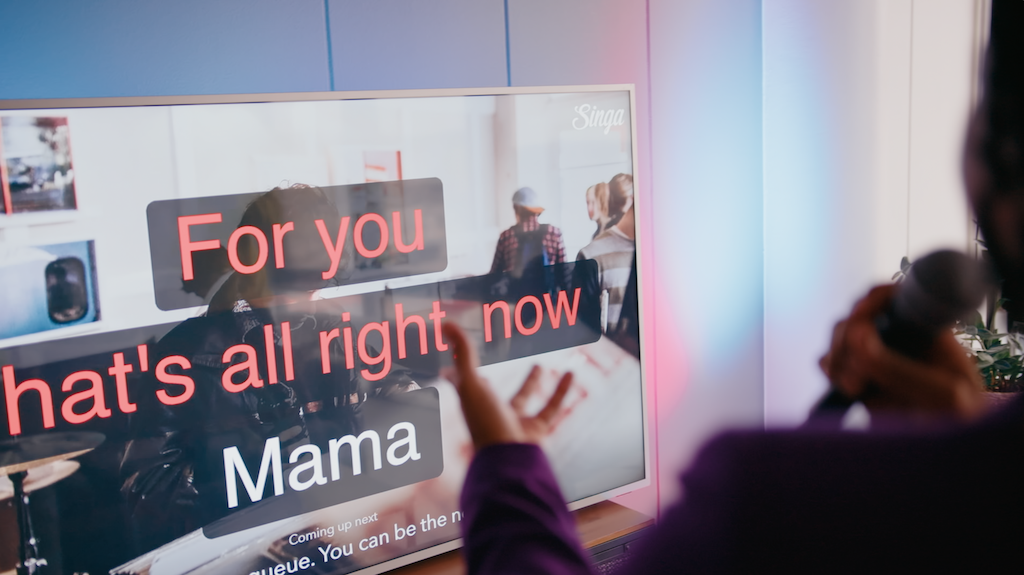
Here's 5 steps for the perfect family karaoke
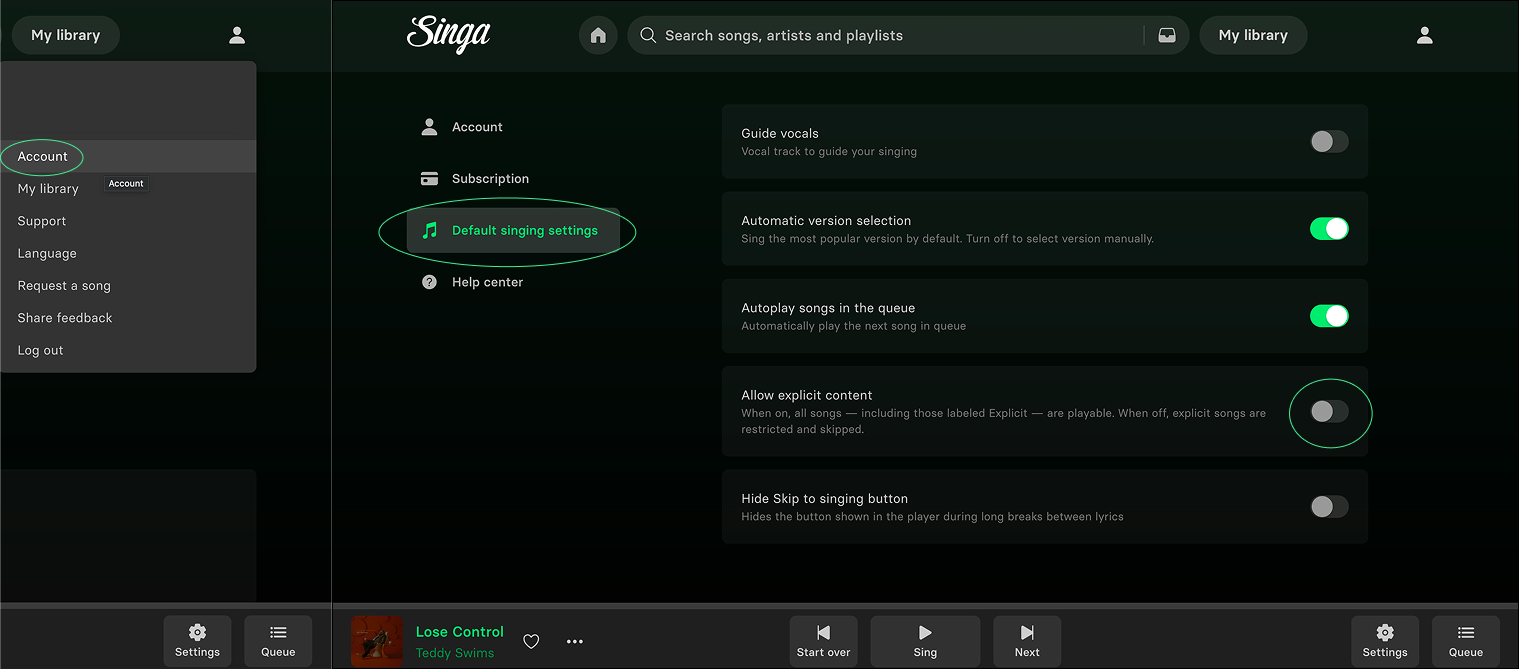
1. Safety first: mastering the "Explicit" toggle
Avoid those cringeworthy moments when a song choice turns out to be a little too 'adult' for the kids. Singa makes it incredibly easy to filter your search.
How to use the explicit filter:
- Navigate to your settings (person icon in the top right corner)
- Select "Account" from the dropdown list
- Then click "Default singing settings" from the left side
- Toggle off the "Allow explicit content"
2. Guide vocals: the "training wheels" for shy singers
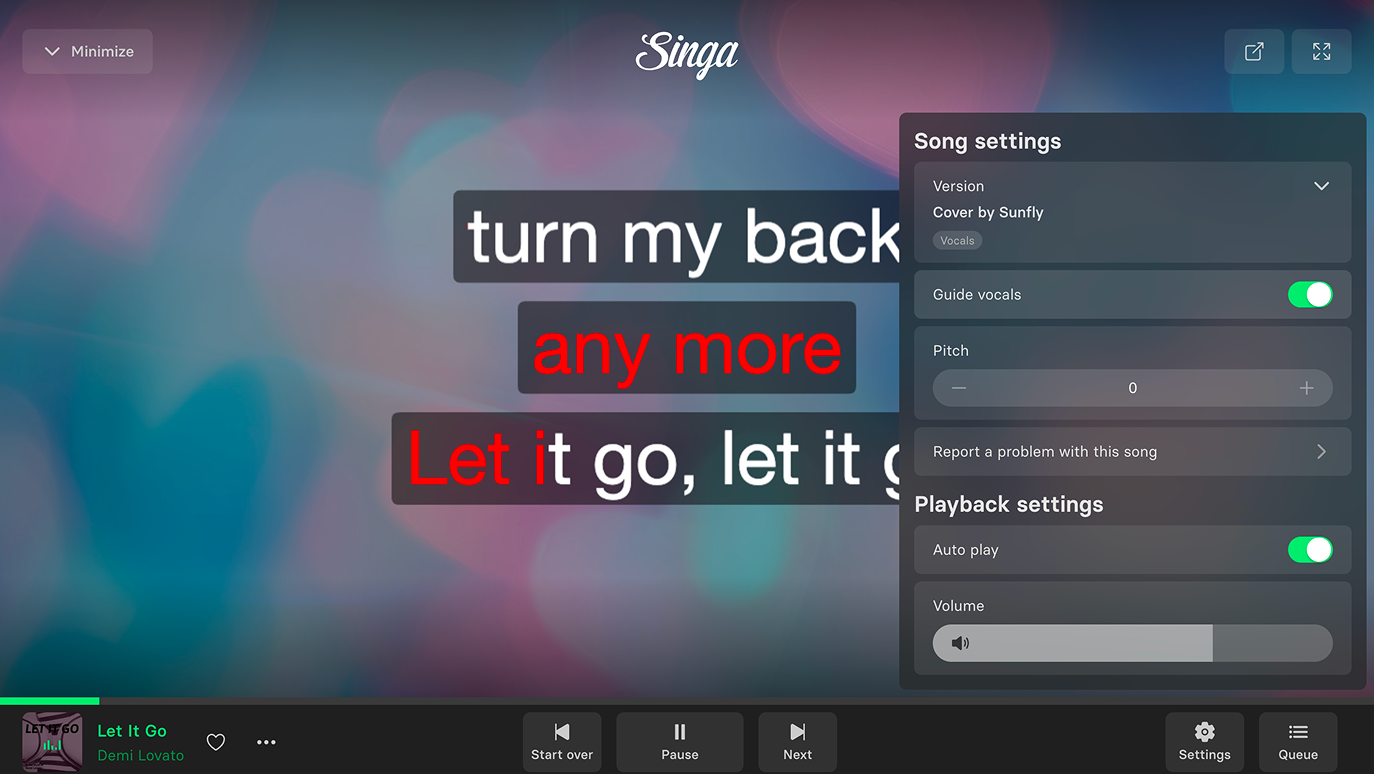
Not everyone is a natural-born rockstar. For kids who are still learning the words or shy family members, Singa’s Guide Vocals (Supporting Vocals) are a game-changer.
- How to activate: Open your chosen song and tap the Settings icon. Toggle "Vocals" to ON.
- Why it works: This keeps the original lead singer’s voice in the mix, giving the performer more confidence and helping them stay on beat.
3. Top family-friendly singlists
Looking for inspiration? Check out the Singa Song Catalog and look for these curated categories:
For the Little Stars (Ages 3-8):
- Baby Shark – Pinkfong
- Let It Go – Frozen
- We Don’t Talk About Bruno – Encanto
- The Alphabet Song
For the Teens & Tweens:
- Golden (KPOP Demon Hunters) - EJAE, AUDREY NUNA, and REI AMI
- Dynamite – BTS
- Midnight Sun – Zara Larsson
- Can’t Stop the Feeling – Justin Timberlake
For the "Cool" Grandparents (The Classics):
- Waterloo – ABBA
- Don't Stop Me Now – Queen
- Here Comes the Sun – The Beatles
- Girls Just Want to Have Fun – Cyndi Lauper
Want more crowd-pleasers for every age? Get inspired by these easy karaoke songs.
4. Local favorites: a multi-national guide
Karaoke tastes vary by border! If you’re hosting a diverse crowd, here’s what’s trending across our favorite regions:
- UK & US: You can’t go wrong with Disney hits and modern Pop. Think High School Musical or The Greatest Showman.
- Finland (Suomi): Introduce the kids to some Fröbelin Palikat for the toddlers, or classic Finnish pop like Robin Packalen for the older kids.
- Sweden (Sverige): ABBA is the law, but don’t forget Swedish favorites like Mando Diao or current Melodifestivalen hits.
- Germany (Deutschland): Mix in some "Kinderlieder" classics with international hits from Mark Forster or Nena.
5. Make it a game!
To keep the energy high, try these Karaoke Games:
- Singer Roulette: Write names in a hat and draw who goes next.
- Emoji Karaoke: Have kids guess the song title based on emojis before someone has to sing it.
- The Blind Singer: Blindfold the audience and have them guess which family member is performing (using a funny voice is encouraged!).
For a next-level experience, try Party Mode — Singa’s built-in feature that turns any karaoke session into a game.
Frequently asked questions
Is Singa suitable for young children?
Yes. Singa works for all ages. You can filter out explicit content in your account settings so only clean songs appear, making it safe for younger singers. The guide vocals feature also helps little ones follow along even if they don’t know all the words yet.
How do I turn off explicit songs on Singa?
Go to Settings (the person icon, top right), select Account, then Default singing settings, and toggle off “Allow explicit content.” Once this is off, explicit songs won’t appear in search results or playlists, so you can hand over the phone without worrying.
Does Singa have songs for kids?
Absolutely. Singa’s catalog includes classics like Baby Shark, Let It Go, We Don’t Talk About Bruno, and The Alphabet Song, as well as chart hits from recent kids’ films and shows. You can search by song name or browse curated family-friendly singlists.
What do I need to do karaoke at home with Singa?
Just the Singa app (available on iOS, Android, desktop, and Smart TV), a screen to display the lyrics connected via AirPlay, HDMI, or screen mirroring, and a speaker. A microphone is optional but adds to the fun.
Can I use Singa on a TV?
Yes. Singa is available as a Smart TV app on Samsung and LG TVs, and you can also cast from your phone or tablet using AirPlay or HDMI. Lyrics appear on the big screen while someone else queues the next song on their phone.
What if someone is too shy to sing alone?
Turn on Guide Vocals in the song settings. This keeps the original artist’s voice in the mix, which makes it much easier for shy singers or younger kids to follow along with confidence. It’s a great way to ease nervous first-timers into the fun.
Ready to sing?
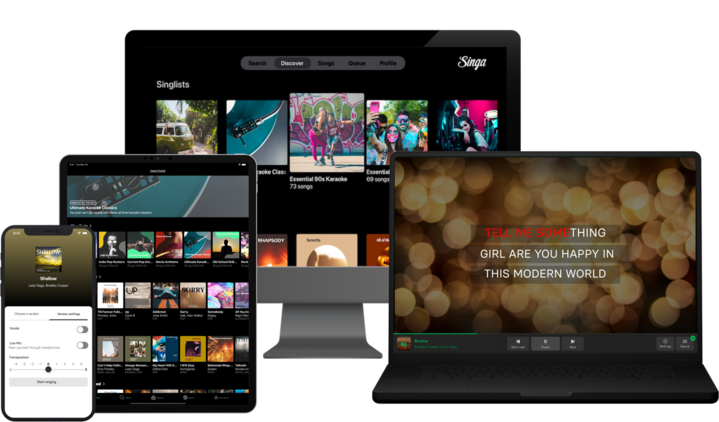
Whether you're using the Singa app on your phone, tablet, or Smart TV, setting up a family karaoke night takes less than five minutes. For more tips on how to set up your home system, check out our blog on how to do karaoke at home without a machine.
Download Singa on the App Store | Get Singa on Google Play
For more karaoke inspiration, keep reading the Singa Blog.
