
Introducing Party Mode — the easiest way to host a karaoke night where everyone gets to pick the songs.
Ready to make your karaoke parties better? Say goodbye to hunching over one device and say hello to a shared queue, where anyone can add a song from their device!
Meet Party Mode — now available on Singa web.
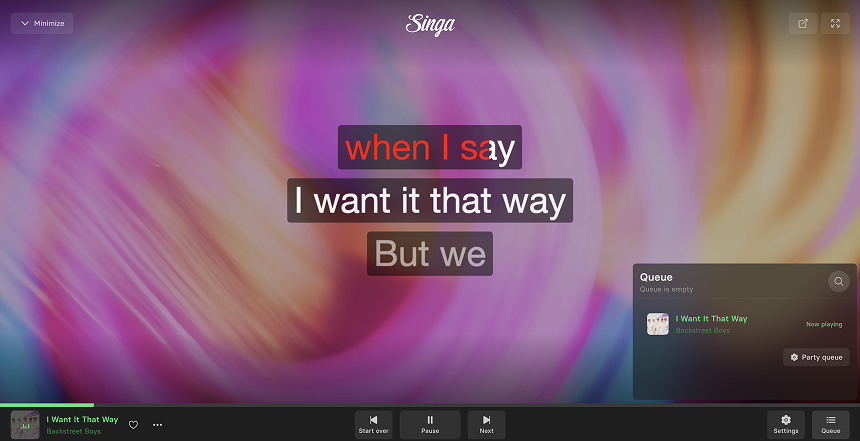
How it works:
Party Mode is available today for Singa Premium subscribers on web.
- Open Singa on your computer browser
- Enable Party Mode from the player bar
- Share the QR code or 4-letter code with your guests
- Let the requests roll in
Your guests join at singa.com/party — no download, no account, no friction.
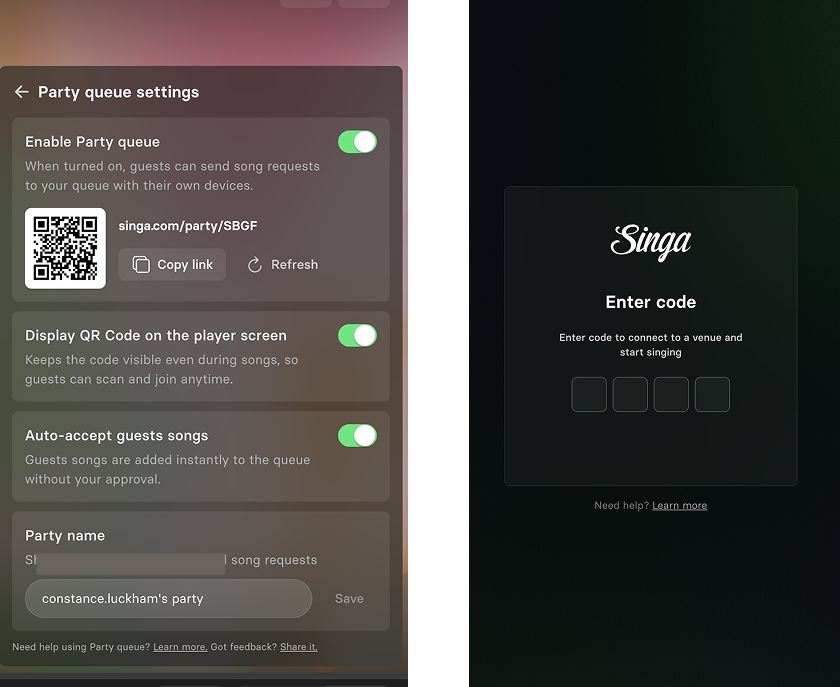
From there, your guests can browse the Singa catalogue and request songs directly to your queue. No passing devices around. No interruptions. Just the music, the people, and the moment. The best part? Your guests don't need to have a Singa subscription to join! They just scan and can start adding their go-to songs to the party queue!
You stay in control
Party Mode isn't just about giving guests the mic (metaphorically speaking) — it's about giving you the tools to enjoy the best karaoke party! As the host, you can accept requests, reorder the queue, and remove songs at any time. Think of yourself as the DJ and the emcee. The crowd makes requests; you make the call.
Built for real karaoke nights
Whether you're hosting a birthday party, a Friday night gathering, or a full-on themed karaoke extravaganza, Party Mode was designed with home karaoke hosts in mind. The days of everyone crowding around one screen to queue songs are over. This is the feature karaoke lovers have been asking for — and it's here now.
Not a Premium member yet? Upgrade today and host your first party tonight.
Want more tips to create the best karaoke party? Check out our handy guide!
Need help getting set up? Check out our Party Mode help article for step-by-step guidance.
