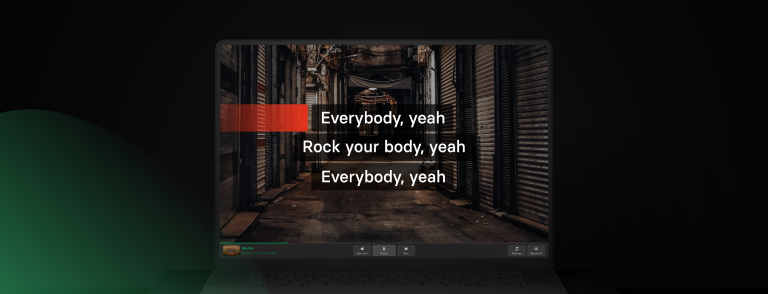
A memorable karaoke party starts long before the first song. The best nights feel effortless because someone has already thought about the playlist, the room setup, the guest list, and how to keep everyone singing instead of waiting around.
Whether you’re planning a birthday, a casual get-together, or a themed karaoke night, a little preparation goes a long way. This guide covers everything you need to know about how to host a karaoke party at home, from choosing the right equipment to keeping the guests entertained all evening.
Table of contents:
- Start with the karaoke party guest list
- Choose your karaoke app
- Set up the karaoke space
- Use lighting to create the perfect karaoke atmosphere
- Test your karaoke setup before guests arrive
- Build a balanced playlist
- Master the song queue
- Keep the food and drinks flowing
- Karaoke night at home ideas: themes and games
- End the night with a crowd favorite
- Quick pre-party checklist
- Frequently asked questions
- Ready to host your own karaoke night?
Start with the karaoke party guest list
Before planning anything else, think about how many people to invite. The size of your guest list determines how much room you’ll need, how often each person gets to sing, and the overall vibe of the night. If you’re hosting karaoke for beginners, keeping the group small can help everyone feel more confident.
As a general guide:
- 4-8 people: relaxed evening where everyone sings often.
- 8-15 people: lively party with plenty of variety.
- 15+ people: larger celebrations where you’ll need more structured song management.
For most home karaoke parties, 6 to 12 guests creates a great balance between participation and waiting time.
Mix confident singers with the reluctant ones, since the guests who've always wanted to sing but never dared usually end up having the best night once they get the mic.
A few simple ideas can help:
- Start with confident singers.
- Suggest duets instead of solos.
- Encourage group performances.
- Celebrate enthusiasm more than vocal ability.
- Avoid scoring or judging performances.
Match your setup to your headcount too: more guests means at least two microphones so people can duet instead of waiting in a long solo line.
Share the plan along with your invitation. Mention the date, time, and the relaxed, private atmosphere so guests know exactly what to expect. A little reassurance can make all the difference for friends who are nervous about singing.

Choose your karaoke app
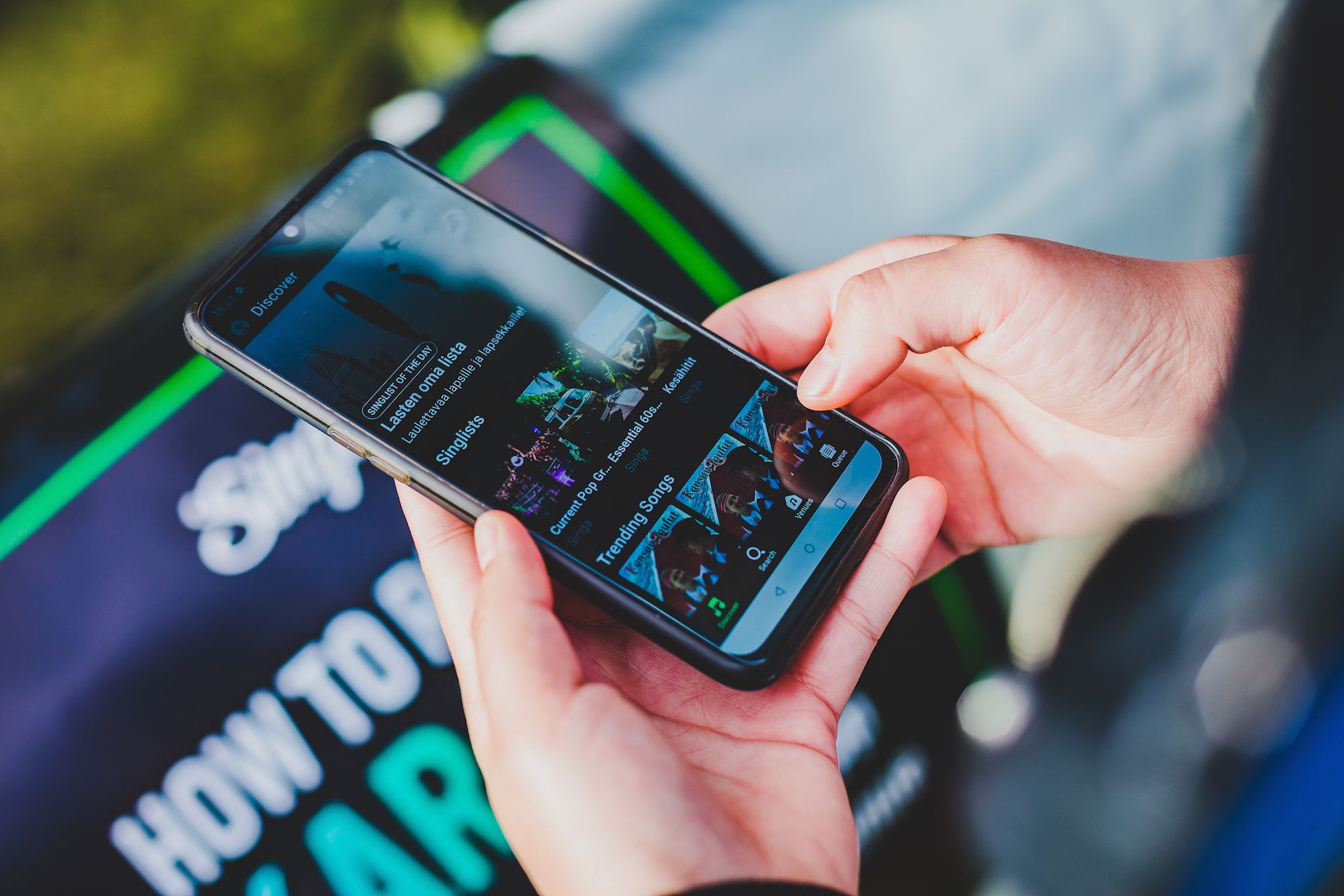
Before rearranging the room or hanging decorations, choose your karaoke setup. It shapes the entire experience, from finding songs to keeping the party moving. Today, a karaoke app and a smart TV are all most hosts need. With Singa, you can start singing in minutes while guests browse the song catalog from their own phones.
A few reasons Singa is the app most home hosts land on:
- Turns your phone, computer, or smart TV into a personal karaoke machine with built-in song queue management.
- A catalogue built for variety. Over 140,000 songs updated daily means nobody's stuck picking between the same ten party staples, whatever the mix of ages or tastes in the room.
- Original artist recordings. Singa is the only platform offering studio-quality master recordings from artists like Cardi B, Linkin Park and Kylie Minogue, not re-recorded covers.
- AirPlay casting. Mirror lyrics and audio from an iPhone, iPad or Mac to any AirPlay-compatible TV, no HDMI cables or adapters needed.
- Transposition and guide vocals. Nervous singers can shift a song into a comfortable range or sing alongside the original vocal track until they find their footing.
- Find nearby karaoke rooms via Singa Booking.
For a detailed comparison of today’s leading karaoke apps, check out our karaoke app comparison guide.
Test your audio before guests arrive, and once everything is set up, the app can handle the rest of the night smoothly.
Set up the karaoke space
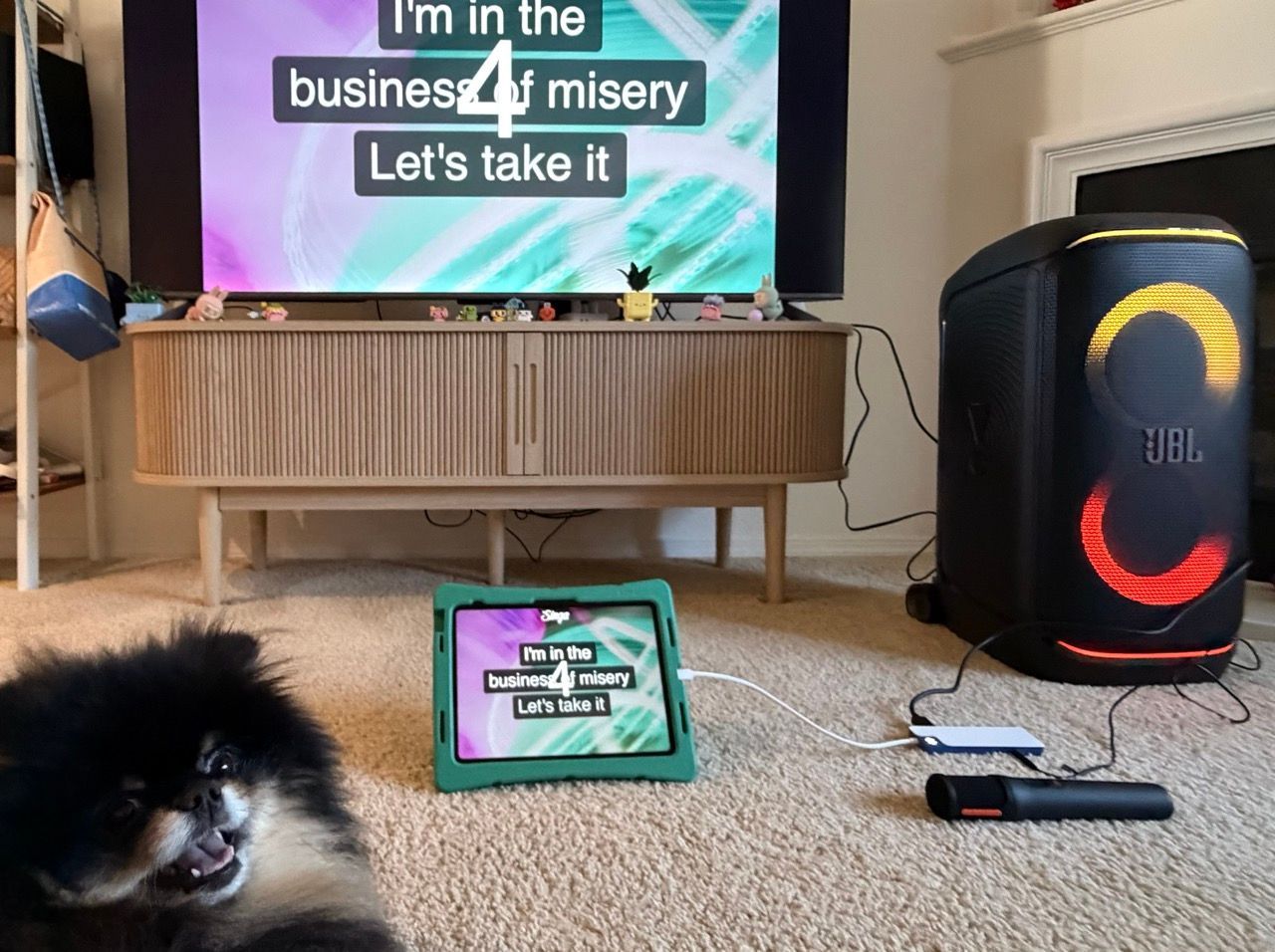
Pick a room with enough open floor for a stage area and breathing room around it. Living rooms usually work best, especially with a TV already in place, and soft furnishings like sofas, rugs and curtains help by absorbing sound instead of letting it echo.
Make sure everyone can easily see the lyrics on the TV or monitor. You don’t need professional equipment to create an enjoyable karaoke experience.
For a simple, yet high-quality home karaoke setup, here's what you need:
- The Singa app (iOS, Android, desktop, or smart TV)
- A TV screen connected via AirPlay, HDMI, or screen mirroring
- A Bluetooth speaker or your TV's built-in speakers
- A reliable internet connection
- One or two microphones
- Comfortable seating
- Space to perform
Before anyone arrives, test the microphones, speaker volume, and how the lyrics look from across the room. Audio glitches mid-song are one of the fastest ways to kill momentum, so this five-minute check is worth doing every time.
💡 Party tip: Set up a small photo corner with fun props like sunglasses, hats, or feather boas. It gives guests a chance to capture memorable moments throughout the night and adds another activity between songs.
Use lighting to create the perfect karaoke atmosphere
Lighting does more for a karaoke party's atmosphere than most hosts realize. Swapping harsh overhead lighting for something warmer instantly makes a room feel less like a living room and more like a stage.
String lights, LED strips or even a small disco ball are enough to draw the eye to the performance area and give guests that extra push to grab the mic.
Simple touches can transform an ordinary living room into a karaoke venue:
- Dim the main lights
- Add LED strips or smart lighting
- Hang fairy lights
- Use colorful spotlights
- Decorate according to your party theme
The goal is to create a space where everyone feels comfortable letting loose, and thoughtful lighting is one of the simplest ways to set the right mood.

Test your karaoke setup before guests arrive
Running through one or two songs before the party begins can help you catch any problems early.
Before guests arrive:
- Test your microphones.
- Check your speakers.
- Make sure your karaoke app is updated.
- Confirm your internet connection is stable.
- Download your playlist beforehand so the party can keep going even if your Wi-Fi has other plans.
- Charge wireless microphones and wireless speakers.
- Keep spare batteries nearby if needed.
Build a balanced playlist
Even if guests choose most of the songs, having a starter playlist helps set the mood.
Mix different genres and difficulty levels so everyone can find something they’re comfortable singing.
A balanced karaoke playlist could include:
- Crowd-pleasing classics
- Current chart hits
- Duets
- Throwback favorites
- Disney songs
- Rock anthems
- Ballads
- Funny novelty songs
Kick things off with songs everyone knows. Familiar favorites make it easier for guests to get past those first-song nerves and start singing. Think about who’s coming and choose tracks that will make them excited to grab the microphone.
Master the song queue
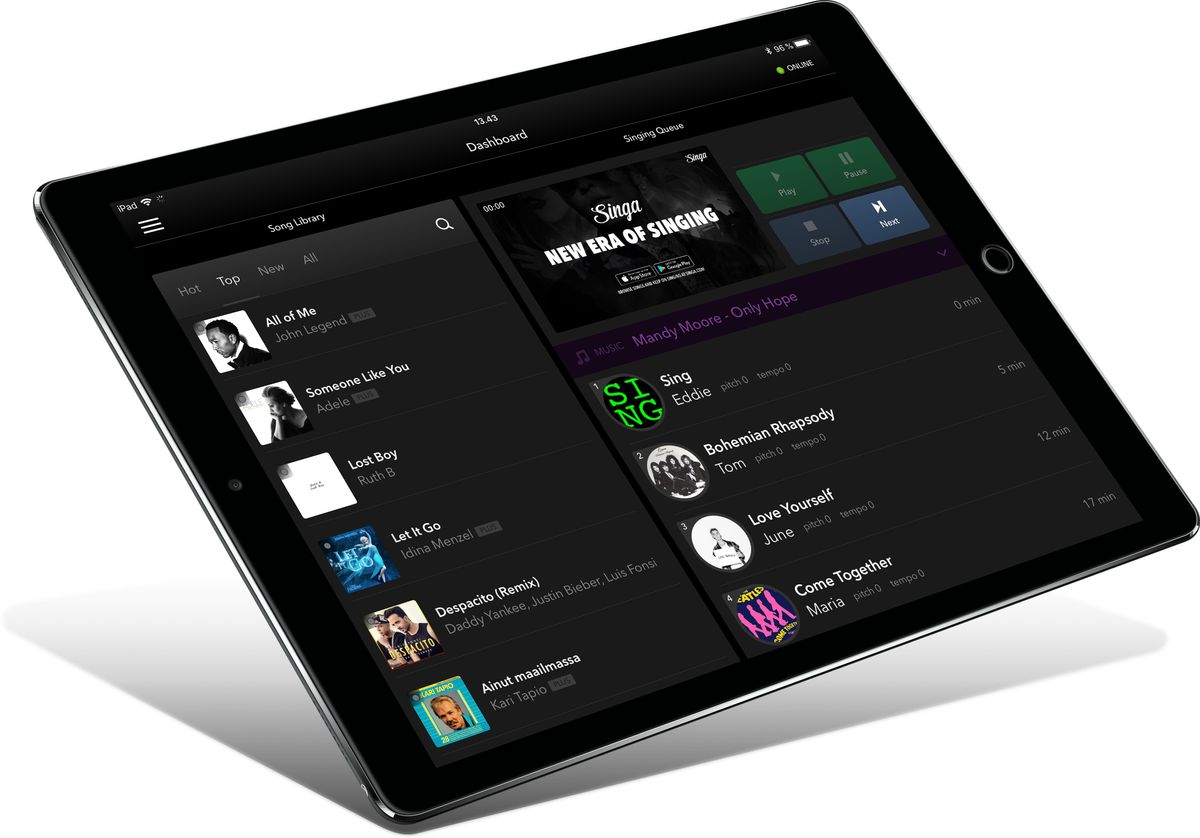
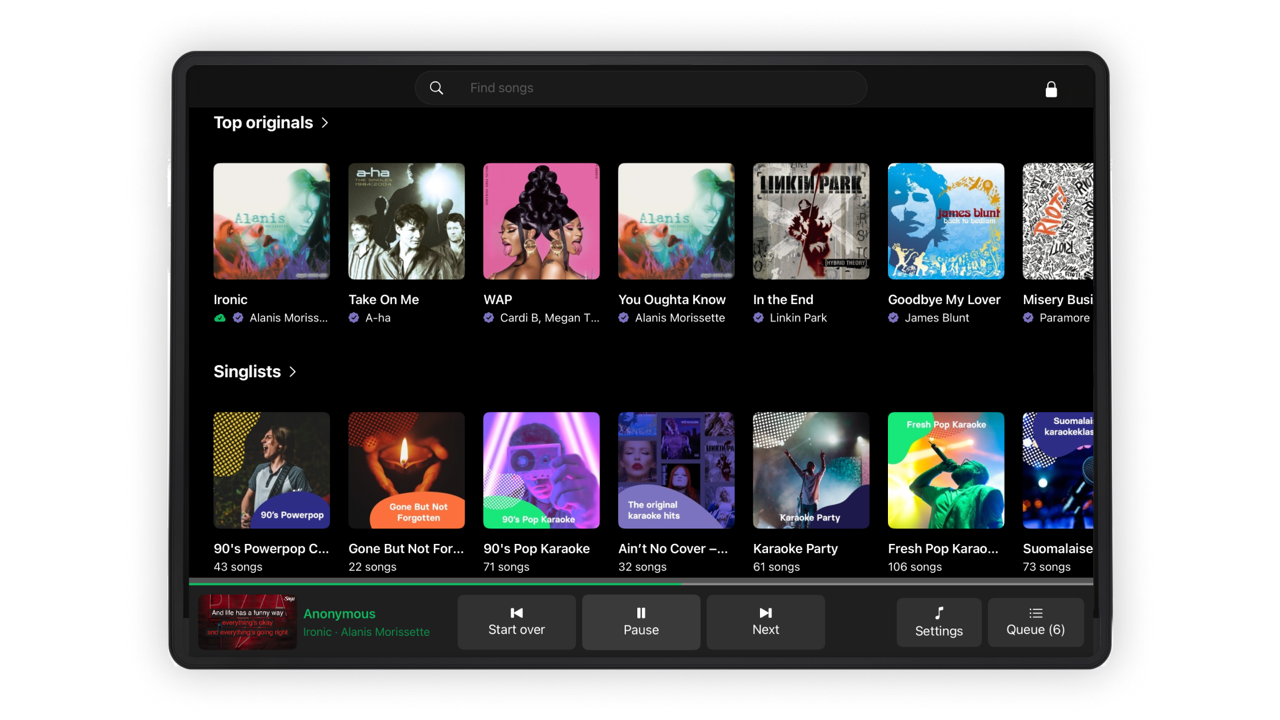
Nothing stalls a karaoke party faster than dead air between songs. The fix is having a real queue system in place before the first person picks up the mic, so guests can add songs while someone else is singing instead of waiting for a lull.
This is where Singa's Party Mode does the heavy lifting: every guest requests songs straight from their own phone, the queue keeps filling itself, and you're free to actually enjoy the party instead of manually managing a playlist all night. Nobody has to pass around a single host device or shout their next pick across the room.
Read more about Singa Party Mode here.
A couple of queue-management habits worth adopting:
- Open with a group song. Getting several people singing together at once takes the pressure off any one performer and warms the room up fast.
- Space out the ballads. Stacking several slow songs back to back tends to drain the energy, so alternate tempos as the queue fills.
- Keep a backup list handy. A short list of crowd-pleasers helps when someone can't think of what to sing. Singa's curated song lists for beginners are a solid place to pull from.
Keep the food and drinks flowing
Good karaoke parties run on snacks. Finger foods work best because they don't interrupt the flow or leave guests too full to sing: think chips, sliders, dips or a simple charcuterie board guests can graze on between turns. A self-serve snack and drink station lets people refill without missing a performance.
Popular karaoke party foods include:
- Pizza
- Sliders
- Nachos
- Vegetable platters
- Chips and dips
- Mini sandwiches
- Popcorn
- Fruit platters
- Charcuterie or grazing board
- Sushi
A great karaoke party is about the people, the music, and the memories. Offer a mix of drinks, including fun non-alcoholic options, so everyone can enjoy the evening in their own way.
💡 Party tip: Add a personal touch by creating a signature drink for your karaoke night.

Karaoke night at home ideas: themes and games
Singing alone can carry a night, but a few structured ideas keep the energy up between turns, especially with a bigger group. Some reliable options:
- Give the night a theme. An 80s night with neon props, a boy band showdown, or a decade-themed dress code turns anxiety about singing into anticipation about costumes. Announcing the theme on the invite gets people texting song picks before they even arrive.
- A small prize for the most original performance. Not the best voice, the most memorable one. It rewards guests for having fun rather than just hitting the right notes, which tends to loosen up the whole room.
- Add fun games between performances. Mini-games keep the energy high while people choose songs or take a break.
Best karaoke party games to try at home
🎰 Mystery Song Challenge (Karaoke Roulette). Let chance decide the next performance. Guests randomly select a song and take on the challenge, whether it’s a classic hit, an unexpected genre, or a song they’ve never sung before.
🎶 Karaoke Music Quiz. Test everyone’s music knowledge with a quiz featuring song intros, lyrics, artists, or fun facts. Perfect for keeping guests entertained between performances.
🎤 Lip Sync Battle. Guests choose their favorite songs and perform without singing. Encourage dramatic moves, creative costumes, and big stage energy.
🪩 Music Charades. Act out a song, artist, or music-related clue without speaking while others try to guess the answer. A fun icebreaker for all ages.
🎯 Karaoke Bingo. Create bingo cards with prompts like “someone sings a duet” or “a 90s hit comes on.” Guests mark off moments as they happen throughout the night.
🎲 Random Genre Generator. Pick a random music genre and challenge guests to perform a song that fits the category. It’s a great way to discover unexpected favorites.
💬 Don’t Forget the Lyrics. Test your guests’ music knowledge by challenging them to fill in missing words from popular song lyrics. Players pick a lyric challenge at random and either choose who performs the song if they guess correctly or take the mic themselves if they miss it.
🎭 Battle of the bands. Split guests into teams and have them compete for fun awards like best performance, funniest rendition, or most dramatic delivery. Let everyone vote for the winners.
The best karaoke games are simple, spontaneous, and designed to bring people together. Pick a format that suits your guests, add it to the plan, and let Singa help keep the night flowing with a seamless song queue and plenty of options for every singer.

End the night with a crowd favorite
The last few songs often become the most memorable part of the evening.
Choose upbeat singalong classics that encourage everyone to join in together. Group performances help finish the night on a high note and make for great photos and videos.

Quick pre-party checklist
Before karaoke guests arrive, run through this:
- Guest list set, with a mix of confident and shy singers, and enough mics for duets.
- Singa set up on the TV, casting tested, catalogue browsed, Party Mode ready for guests to join from their phones.
- Room cleared with an obvious stage area and soft furnishings to balance the sound.
- Lighting adjusted, main lights down, string lights or an LED strip framing the stage.
- Song queue pre-loaded with 40 to 50 songs for a group of ten, plus a backup list for stragglers.
- A theme or game picked, even something as simple as karaoke roulette or a best-costume prize.
- Snacks and drinks staged somewhere guests can reach without leaving the room.
Once the essentials are in place, the rest of the night can unfold effortlessly.
A three- to four-hour karaoke party gives guests plenty of opportunities to sing while keeping the atmosphere lively. With a well-paced queue, good food, and Singa’s wide variety of songs, your home can become the perfect karaoke venue.
Frequently asked questions
What do I need for karaoke at home?
A TV, speakers, microphones, and a karaoke app are enough for most home setups. Many smart TVs also support karaoke apps directly, making setup quick and simple.
How long should a karaoke party last?
Three to five hours gives most groups enough time for everyone to sing several songs without feeling rushed.
How many songs does each person usually sing?
At a party of eight people lasting four hours, guests often sing between five and ten songs each, depending on song length and breaks.
What’s the best karaoke app for home parties?
Look for a service with a large licensed song catalog, regular updates, and an easy-to-use interface. Singa offers thousands of karaoke tracks across multiple genres, making it easy for everyone to find songs they’ll enjoy.
What do I need for Singa karaoke app?
Setting up Singa at home is simple. All you need is a device to run Singa (smart TV, iPad, laptop), a screen to display lyrics, speakers for audio, and microphones if you want the full karaoke experience. Once connected, guests can choose songs, join the queue, and start singing.
Which devices support Singa?
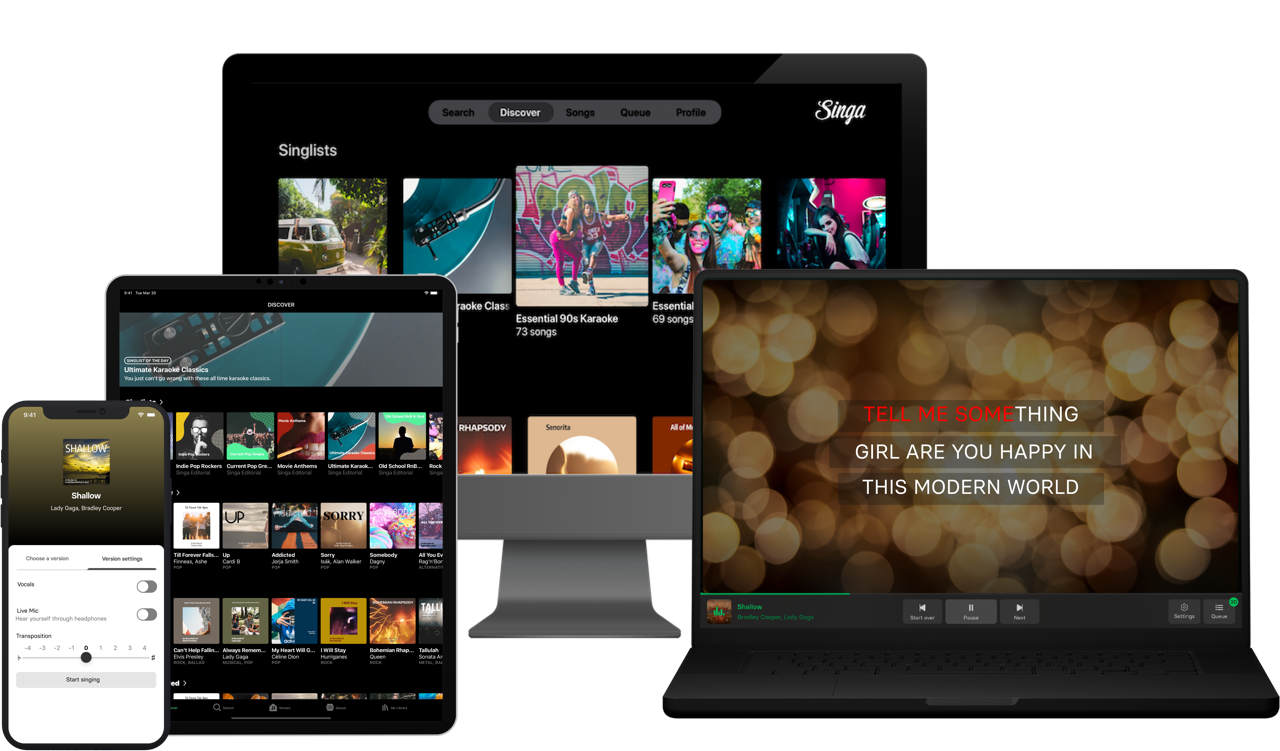
Singa’s motto is “sing anytime, anywhere”, and we try to live by it. You can use Singa on your computer, mobile device and Smart TV. Singa works on most devices/platforms and televisions via the Singa app, as well as on Mac computers and PCs via a browser.
Ready to host your own karaoke night?
Whether you’re planning your first karaoke night or looking to upgrade your next party, Singa makes it easy to turn your living room into your favorite karaoke venue. Try Singa for free and explore 140,000+ licensed songs, create your perfect queue, and keep the music flowing all night long.