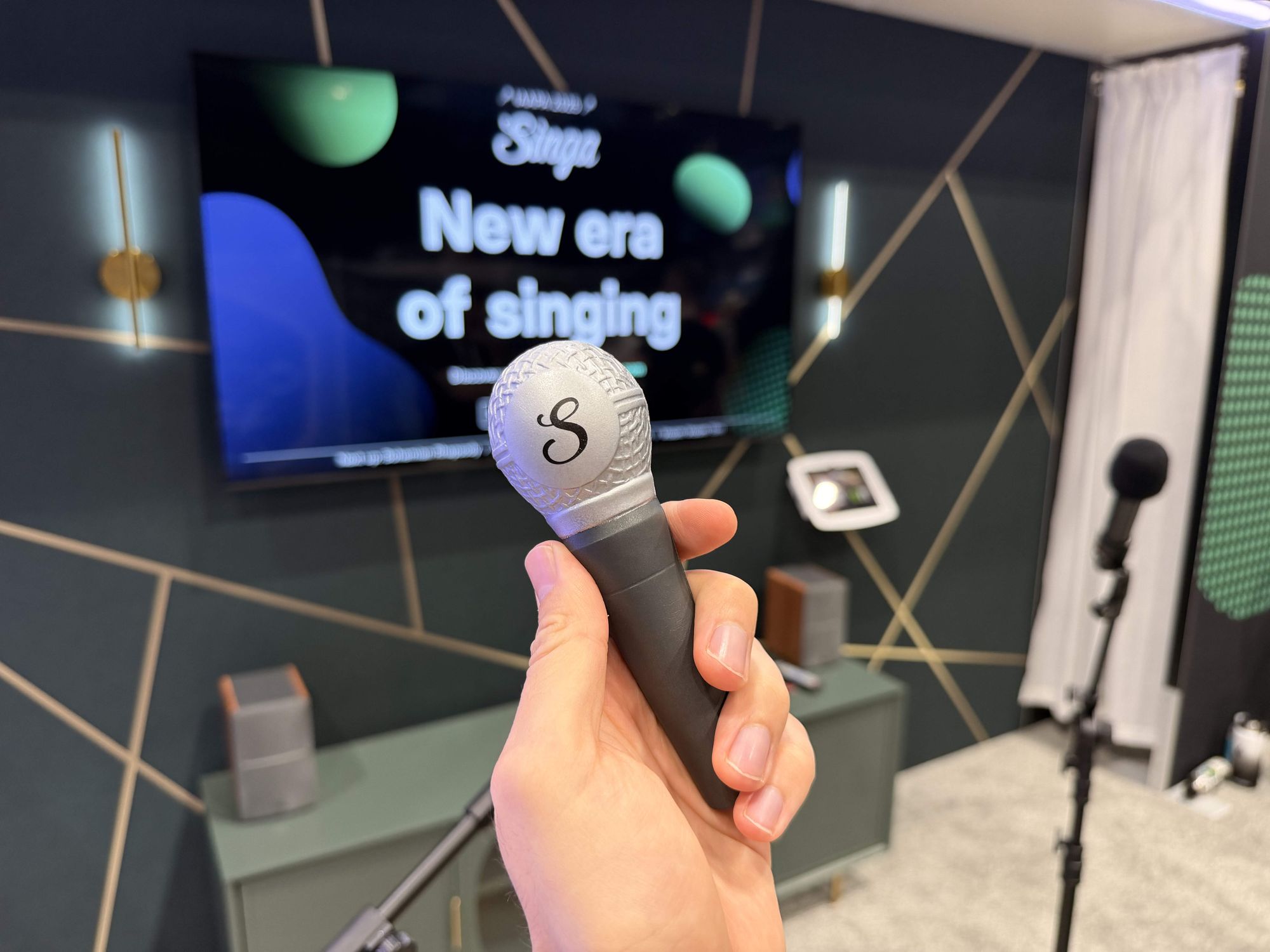
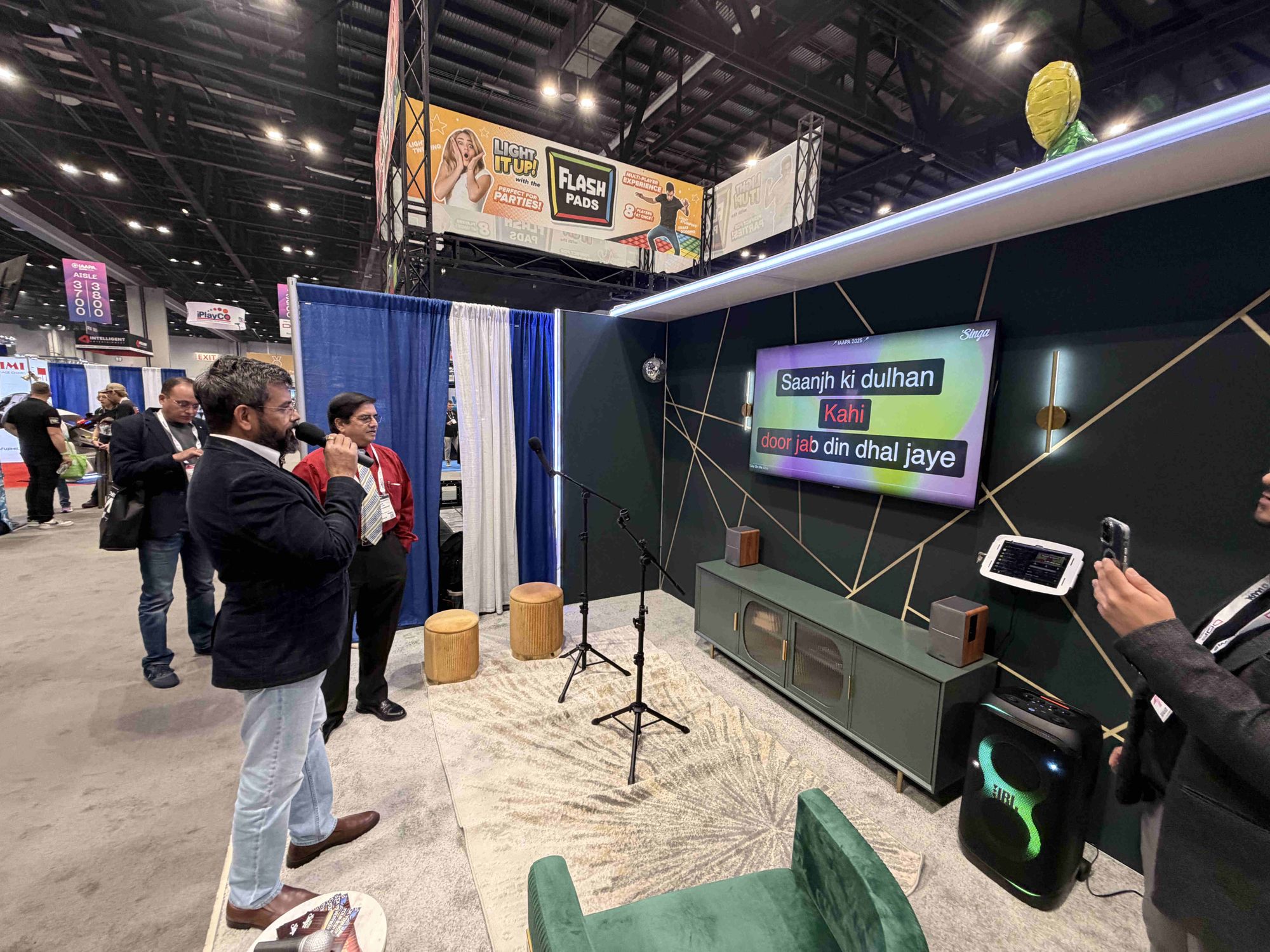
IAAPA Expo is the world’s largest attractions and entertainment event attracting over 40,000 decision-makers from 117 countries. Custom trade show booths at the expo often cost between $20,000 to $65,000 or more, depending on size, materials, and logistics. We wanted to create something memorable without going anywhere near that price range.
Our solution was a pop-up karaoke room: compact, playful, and designed to pull people in naturally. Creating a pop-up karaoke room is an excellent way to test the market, add a temporary attraction for an event, or upgrade a VIP section without a permanent construction project.
Below is a comprehensive breakdown of the exact karaoke room setup we used at IAAPA, including the furniture, the tech stack, and the total estimated costs.
Table of contents:
- When to use a pop-up karaoke room
- What you actually need for a pop-up karaoke room
- Furniture and space design
- Technology and audio equipment
- Complete budget breakdown
- How to set everything up
- Tips for pop-up karaoke room success
- Common mistakes to avoid
- Taking your pop-up karaoke to the next level
- Five lessons from our IAAPA pop-up
When to use a pop-up karaoke room
Pop-up karaoke setups offer flexibility that permanent installations can't match. Unlike karaoke pods, which can cost upwards of $20,000 and require ordering in advance, a pop-up room can be assembled in a day.
When pop-up karaoke makes sense:
- For trade shows and events like IAAPA, pop-up booths need to be portable and easy to assemble within tight setup windows, visually striking to compete for attention on busy expo floors, and professional yet approachable to invite participation while showcasing your brand. Our IAAPA setup proved that you don't need a massive budget to create an Instagram-worthy karaoke experience that draws crowds and generates leads.
- For entertainment venues, pop-up rooms let you test the waters and see if your demographic enjoys private karaoke before committing to a full renovation, optimize space by turning an unused office or storage area into a revenue-generating VIP room, and increase food and beverage sales since private rooms encourage groups to stay longer and order more. According to hospitality data trends, experiential dining and entertainment options can increase per-check averages by up to 22%.
The key advantage is budget-consciousness. Every dollar counts when exhibiting or experimenting with new revenue streams, and pop-up setups deliver professional results without the permanent commitment.
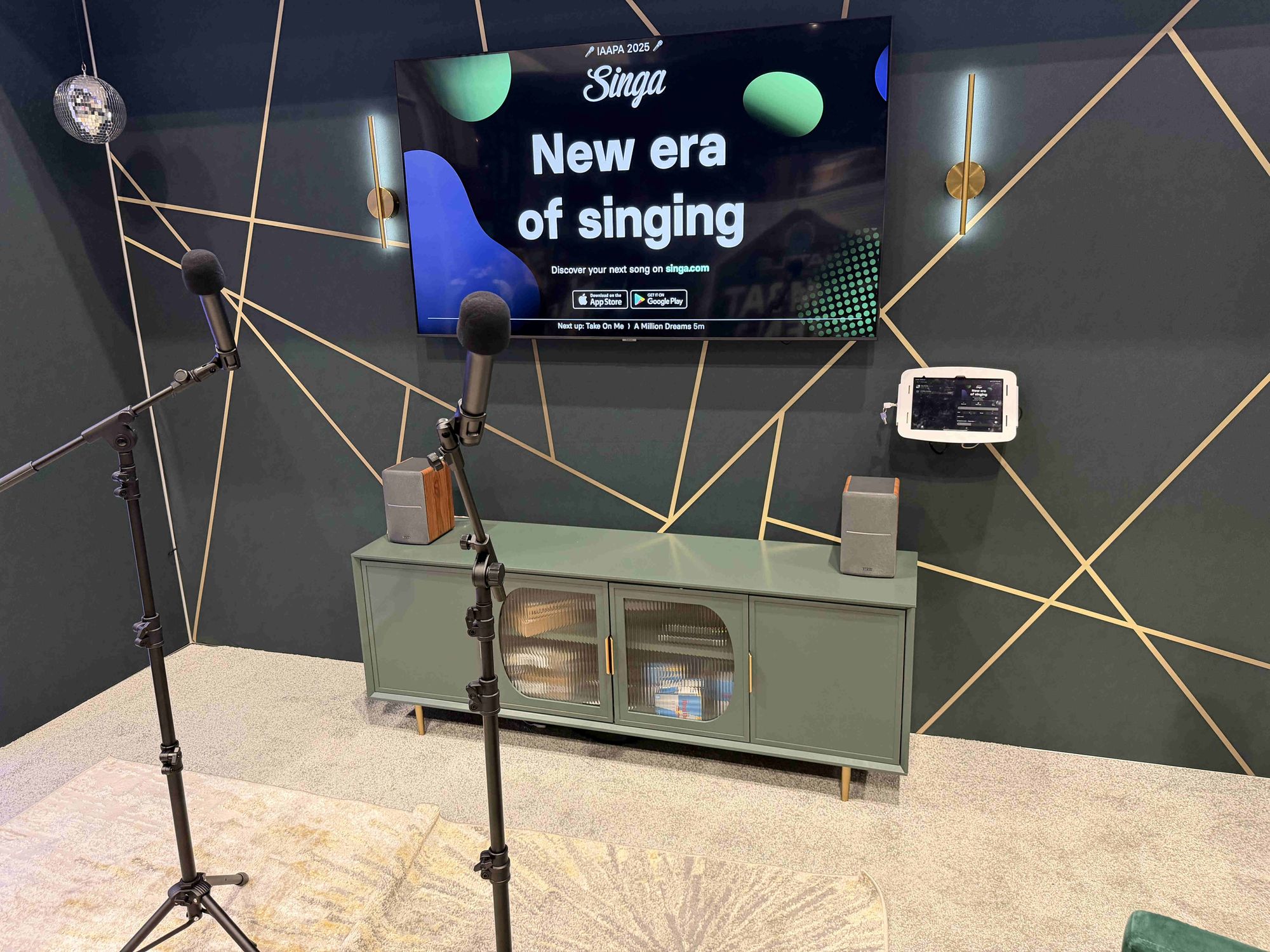
What you actually need for a pop-up karaoke room
A temporary karaoke setup does not require permanent construction or professional staging. You need three core components:
- Furniture and space design
- Technology and audio equipment
- Cables and adapters
Let’s walk through each one.
Furniture and space design
Seating designed for comfort and flow
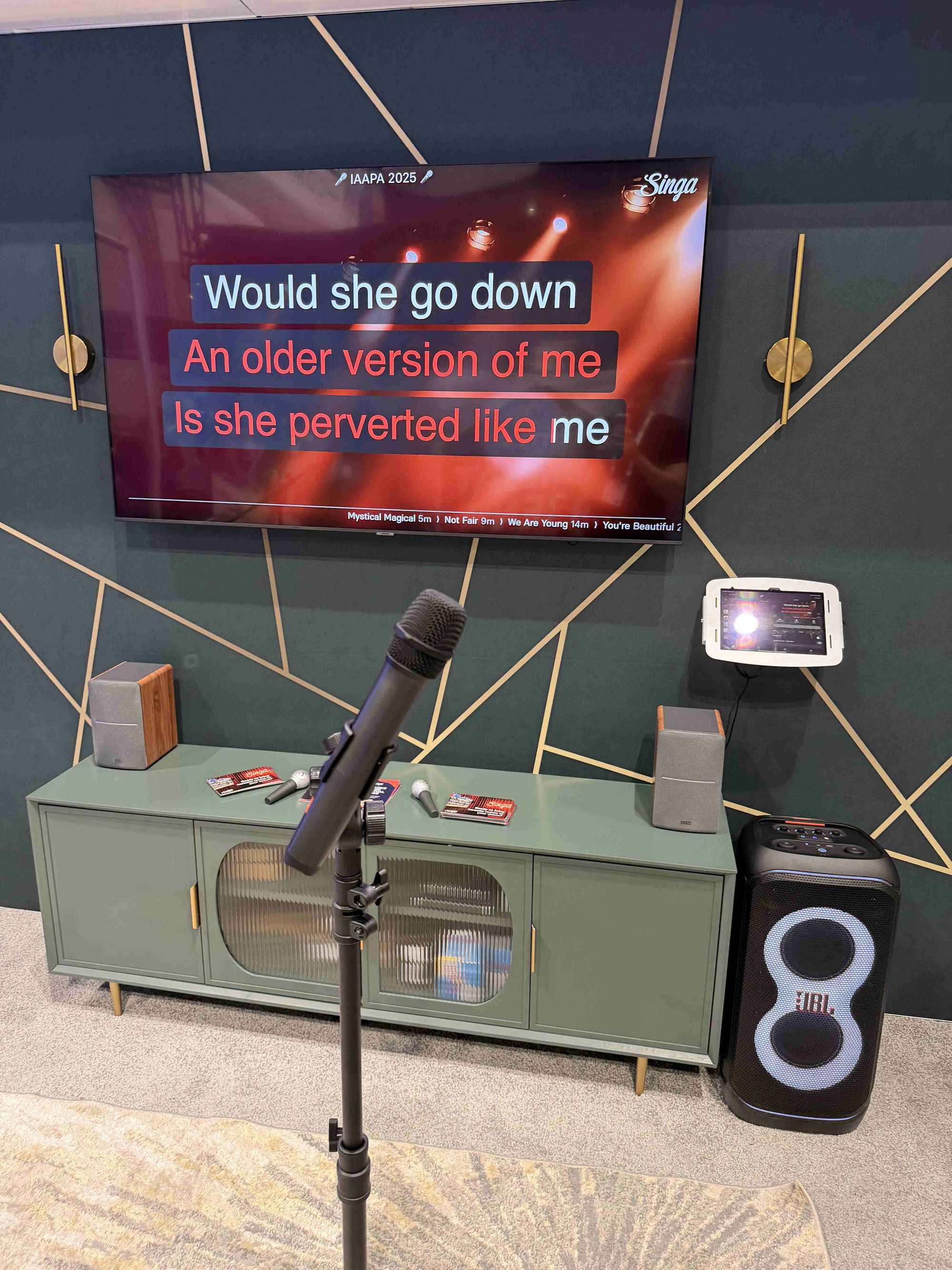
For our IAAPA booth, we chose pieces that delivered glamour without breaking the bank. We wanted the space to feel like a cozy lounge rather than a trade show booth, which helped people feel comfortable stepping in and staying longer.
- Orange velvet ottomans (set of 2): $76 - Amazon. Similar styles: $40-140+ on Amazon.
- Green velvet armchair: $190 - Amazon. Similar styles: $140-320+ on Amazon.
Tables and surfaces
- White marble top and gold frame accent table: $60 - Wayfair. Similar options: $30-120+ on Amazon.
- Green media console: $235 - Amazon. Similar styles: $120-290+ on Amazon.
Flooring and finishing touches
- Area rug (5'x8'): $109 - Wayfair. Similar styles: $42-120+ on Amazon.
- Small hanging disco ball: $16 - Amazon.
- Battery operated wall lights (set of 2): $64 - Amazon. Similar styles (hardwired or battery operated): $19-160+ on Amazon.
Total furniture and decor cost (budget option - mid-range - premium): $400-$750-$1150+
This setup framed the karaoke area clearly without blocking sightlines or requiring heavy construction.
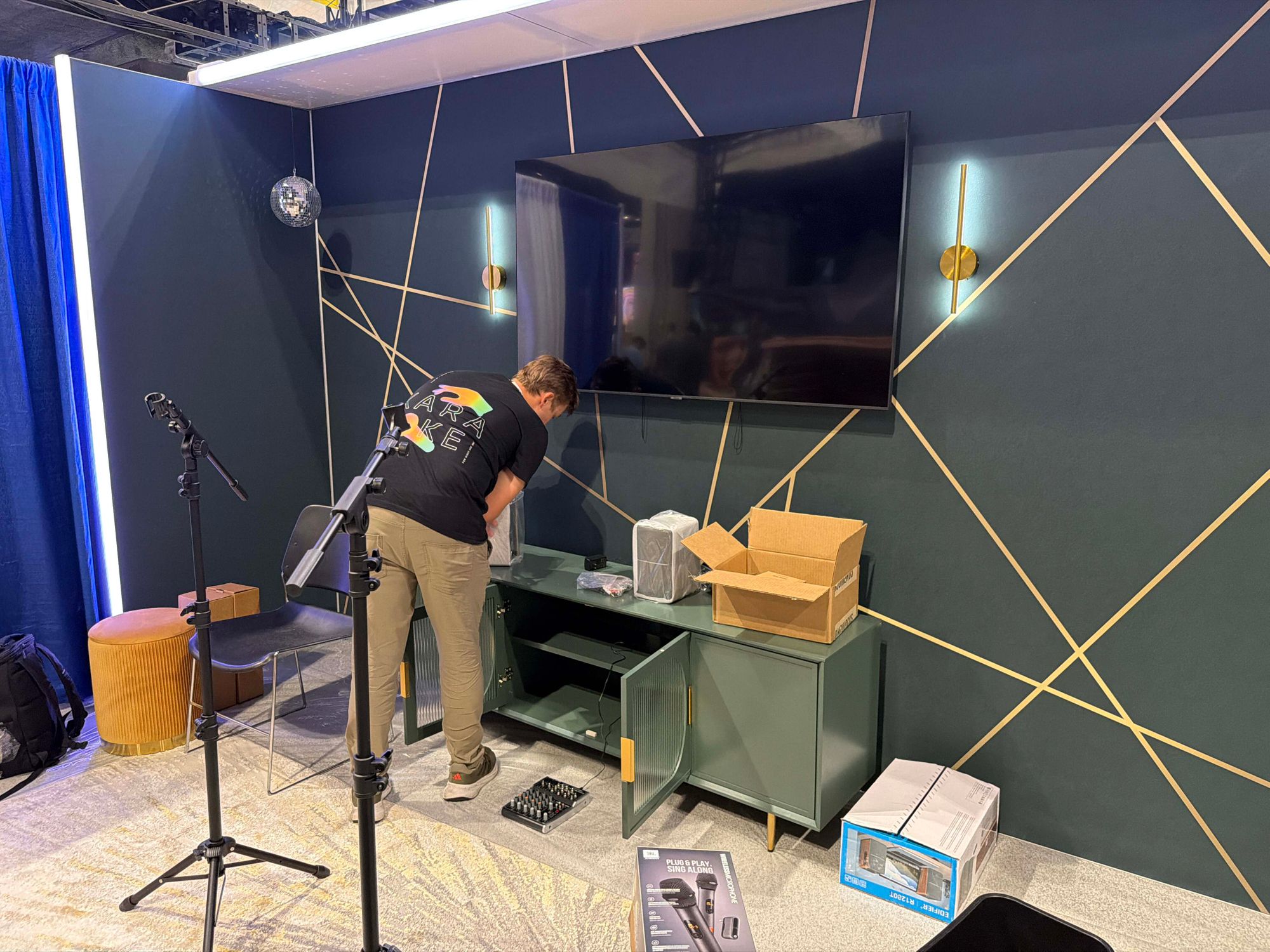
Technology and audio equipment
This is where your pop-up karaoke booth comes to life. Audio quality is the most critical part of any karaoke setup. If the sound does not work, the experience falls apart quickly.
Display and connectivity
TV/Display screen 70": $500 - Amazon. Similar: $200-1100+ on Amazon.
- Size depends on booth dimensions and your preferences (55-75 inches is typical)
- HDMI connection required
- We used a wall mount: $19-100+ on Amazon
iPad A16 (11"): from $349 - Amazon
- Runs the Singa karaoke app
- 11-inch screen provides good visibility for song selection
- WiFi model sufficient if trade show has reliable internet
If you will have unstable internet consider getting the cellular enabled version and adding a virtual sim to your iPad. Alternatively, you can run Singa in offline mode by downloading songs in advance, in this case you will want as large of memory storage as possible.
iPad holder: $199 - MacLocks.
- Space Bow model provides secure, adjustable mounting
- Professional appearance with hidden cable management
- Prevents theft at crowded events
- Similar holders from $40 on Amazon.
Audio equipment: When aesthetics should take a back seat
Here's a critical lesson from our IAAPA experience: we initially chose Edifier R1280T speakers for their aesthetic appeal and beautiful wood finish. Big mistake.
While these bookshelf speakers look great and work well for casual music listening, they are not designed for karaoke and produced noticeable static and feedback issues when handling vocal frequencies. The speakers simply couldn't handle the dynamic range and frequency response needed for live singing.
What we recommend instead:
Speakers: $200-600+
- JBL PartyBox series: $200-500+ on Amazon. Purpose-built for karaoke with mic inputs.
- Bose S1 Pro: $600+ on Amazon. Professional PA system with superior clarity.
- JBL Professional EON Series: $400+ on Amazon. Commercial-grade speakers designed for vocal reproduction.
The difference is dramatic. Karaoke speakers have:
- Proper frequency response for vocals
- Built-in feedback suppression
- Higher power handling for singing
- Clearer midrange frequencies
- No static issues
4-channel audio mixer: $31-150+ on Amazon
- Allows mixing of multiple audio sources
- Essential for controlling mic and music volumes independently
- Models with Bluetooth and USB connections offer flexibility
2 wireless microphones: $40-300+ on Amazon
- JBL wireless rechargeable microphones – $100 for a set of 2 on Amazon. Reliable, clear audio.
- Dual-channel receiver for duets
- UHF frequency for stable connection
- Rechargeable options save on batteries
2 microphone stands: $32-60+ on Amazon
- Adjustable tripod stands
- Boom arm style for flexibility
Cables and adapters
USB-C hub: $20-160+ on Amazon
- Choose one with HDMI and audio ports. We used a HyperDrive.
- Connects iPad to display and other devices
- Multi-port model provides flexibility
HDMI cable: $4-24 on Amazon
- Varied lengths to fit your needs
- High-speed rating for 4K if using 4K display
AUX/audio cables: $6-17+ on Amazon
- 3.5mm to 6.35 mm for mixer connections
- XLR cables if using pro-level equipment
- Buy quality cables to avoid audio issues
Total technology cost: $925-$1150-$2880+
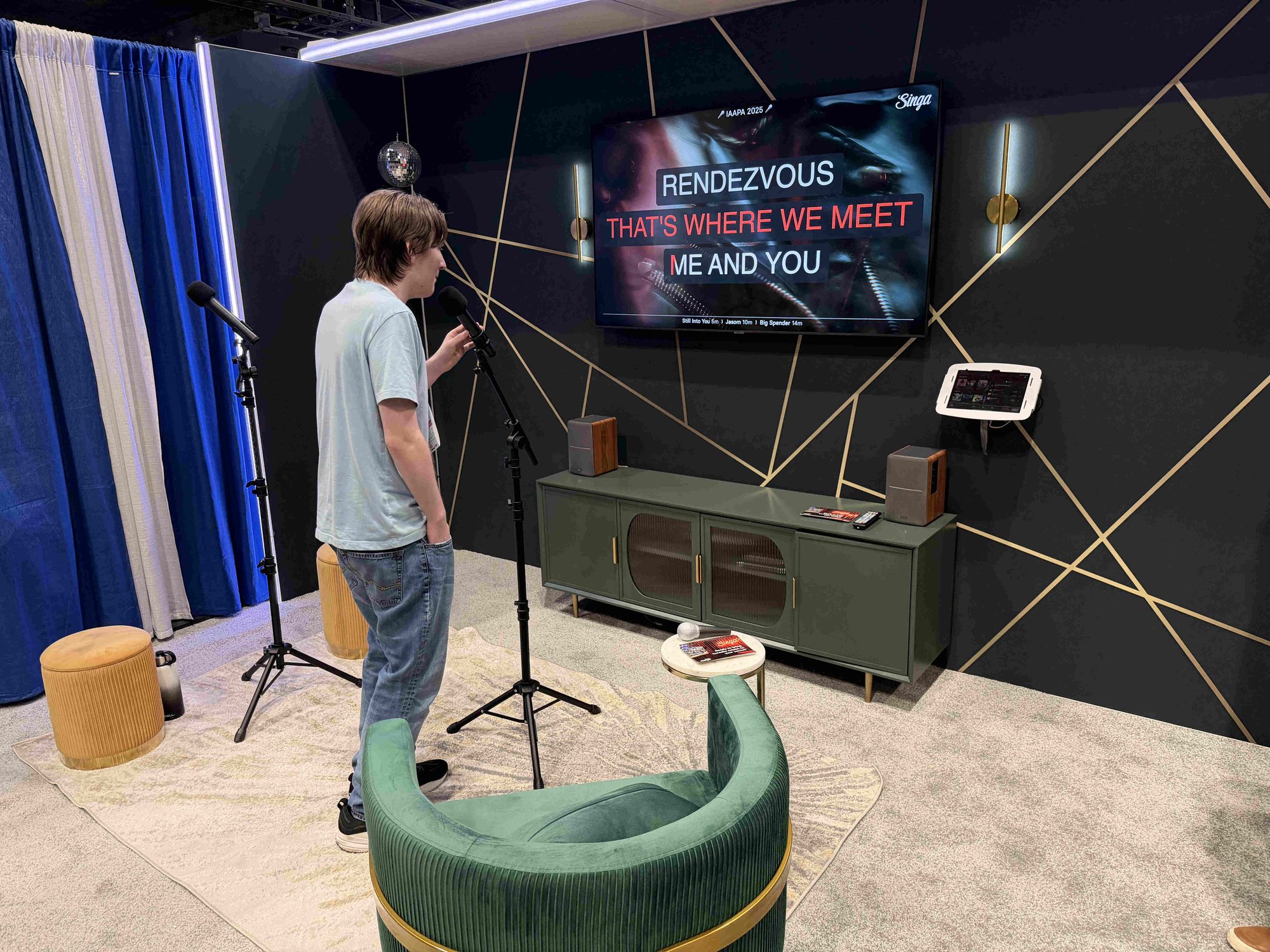
Complete budget breakdown
A realistic cost breakdown for a pop-up karaoke room:
| Category | Budget Option | Mid-Range Option | Premium Option |
|---|---|---|---|
| Furniture & decor | $400 | $750 | $1150 |
| Display (TV) | $200 | $400 | $600 |
| iPad A16 11" | $349 | $349 | $499 |
| iPad holder | $40 | $70 | $199 |
| Speakers | $200 | $350 | $700 |
| Audio mixer | $40 | $80 | $120 |
| Microphones | $100 | $150 | $260 |
| Mic stands | $25 | $40 | $60 |
| Cables & adapters | $30 | $60 | $100 |
| TOTAL | $1,384 | $2,249 | $3,688 |
Note: These costs don't include booth construction, flooring, backdrop, or labor for setup/teardown.
How to set everything up
Here's a simplified overview of a typical pop-up karaoke setup with a mixer and microphones.
- Connect the iPad with Singa to the venue’s Wi-Fi. This ensures Discovery Station and the KJ device stay in sync.
- Turn everything on. Powering the TV, speaker, mics, and iPad first avoids pairing hiccups later.
- Connect your iPad with the USB-C hub. We plugged the HDMI cable into the HyperDrive hub first so visuals would go to the TV immediately.
- Add audio second. After confirming video output, we plugged the AUX cable into the HyperDrive’s audio port to feed sound to the mixer.
- Plug your microphones to the suitable channels in the mixer with an HDMI cable. If you're using wireless microphones, connect the transmitter with the mixer.
- Use the mixer to adjust the microphone volumes and add effects, such as reverb or delay.
- Connect the outcoming sound from your mixer to your speaker.
That's all, folks! Pick a song from Singa and you're ready to sing. Let the karaoke life begin!
Tips for pop-up karaoke room success
- Test everything at home first. Trade show setup time is limited and stressful. Make sure all equipment works together before you pack it. This is especially important for audio equipment — test your speakers with actual singing to ensure they can handle vocal frequencies without static or feedback.
- Create a setup checklist. Number your cables, photograph your setup, and document the order of connections. Future-you will be grateful.
- Prepare song playlists. Create themed playlists in your Singa app. Have a "crowd favorites" list ready to go.
- Plan for power. Confirm your booth's power allocation and bring power strips with surge protection. Label which devices plug into which strips.
- Staff your booth strategically. Have someone who can troubleshoot tech issues and someone who can engage visitors. These are often different skill sets.
- Protect your equipment. Use cable covers to prevent tripping hazards. Secure valuable items when leaving the booth unattended.
- Document everything. Take photos and videos of your setup, the crowd response, and people using the karaoke booth. This content is gold for future marketing.
- Get feedback. Ask visitors what they loved and what could improve. Real feedback beats assumptions every time.
Common mistakes to avoid
- Prioritizing aesthetics over sound quality. We learned this the hard way with the Edifier R1280T speakers. They looked perfect with our aesthetic, but the static issues and poor vocal handling made them unsuitable for karaoke. Always choose audio equipment designed for its intended purpose — karaoke speakers are engineered differently than bookshelf speakers.
- Underestimating setup time. Even with a simple design, plan for 3-4 hours of setup time. Troubleshooting always takes longer than expected.
- Forgetting about acoustics. Trade show halls have terrible acoustics. If your booth has walls or a ceiling, consider adding acoustic panels or fabric to reduce echo.
- Not having backup equipment. Bring spare cables, an extra microphone, and have a backup device with the Singa app installed. Murphy's Law is real.
- Ignoring accessibility. Make sure wheelchair users can access your karaoke booth. Adjustable mic stands and proper spacing matter.
- Skipping audio testing. Don't just test that speakers make sound — actually sing into the microphones to verify there's no feedback, static, or distortion issues.
Taking your karaoke to the next level
Once you've mastered the basics, consider these upgrades:
- Professional lighting. LED strips, spotlights, or even simple uplighting dramatically improves photos and videos.
- Backdrop or branding wall. A step-and-repeat banner or custom backdrop makes your space Instagrammable and reinforces brand identity.
- Comfortable flooring. Trade show concrete is brutal. Rubber mats or carpet squares make a huge difference for people standing and singing.
- Recording capabilities. Offer to record performances and email them to participants. This creates a tangible takeaway and marketing opportunity.
- Social media integration. Create a custom hashtag and display it prominently. Consider a live social media feed showing people's performances (with permission).
Five lessons from our IAAPA pop-up
Our setup at IAAPA proved that you don’t need a massive construction budget to create a wow factor. With a budget of $1,400-3,500, you can build a professional, eye-catching karaoke room set-up that creates memorable experiences. By focusing on a strong visual theme and professional-grade software like Singa, you can provide a world-class experience at a reasonable budget.
The key lessons from our IAAPA experience:
- Don't compromise on audio quality. Invest in speakers designed for karaoke, not bookshelf speakers that look pretty but can't handle vocals.
- Test everything before the show, especially audio equipment with actual singing.
- Focus on creating an inviting, approachable space with cohesive design elements.
- Document everything for future improvements and marketing.
- Remember that the goal is engagement, not perfection.
Ready to easily get started with your karaoke room? Check out Singa Business to see how our software can power your new karaoke space.