
Putting together a karaoke setup can feel like a major mental hurdle. People often get stuck wondering what equipment they need, how the AV should be connected, or whether they’ll have to invest in pricey, specialized gear.
It’s a common blocker for venues that want to host a karaoke night or even test the idea before committing to karaoke rooms or self-service karaoke. Some karaoke systems require very specific hardware that is expensive, hard to source, and sometimes takes months to arrive.
That’s why Singa Business changes the game. Since Singa integrates with your existing AV system, most venues can build a working setup with equipment they already have. And when you do need to source a few pieces, the list is short, affordable, and easy to find. Why overcomplicate it?
We put this to the test at IAAPA when Pepsi asked us to run a karaoke event at Andretti Indoor Karting and Games. We said yes, then realized we had less than 24 hours to pull together all the gear.
Here is how we vdid it:
The philosophy behind the setup
We wanted three things: low effort, high portability, and reliability. Instead of hauling mixers, racks, or complex audio chains, we went with a streamlined path that anyone could recreate. The secret ingredient was Singa Pro, which works in any AV set-up.
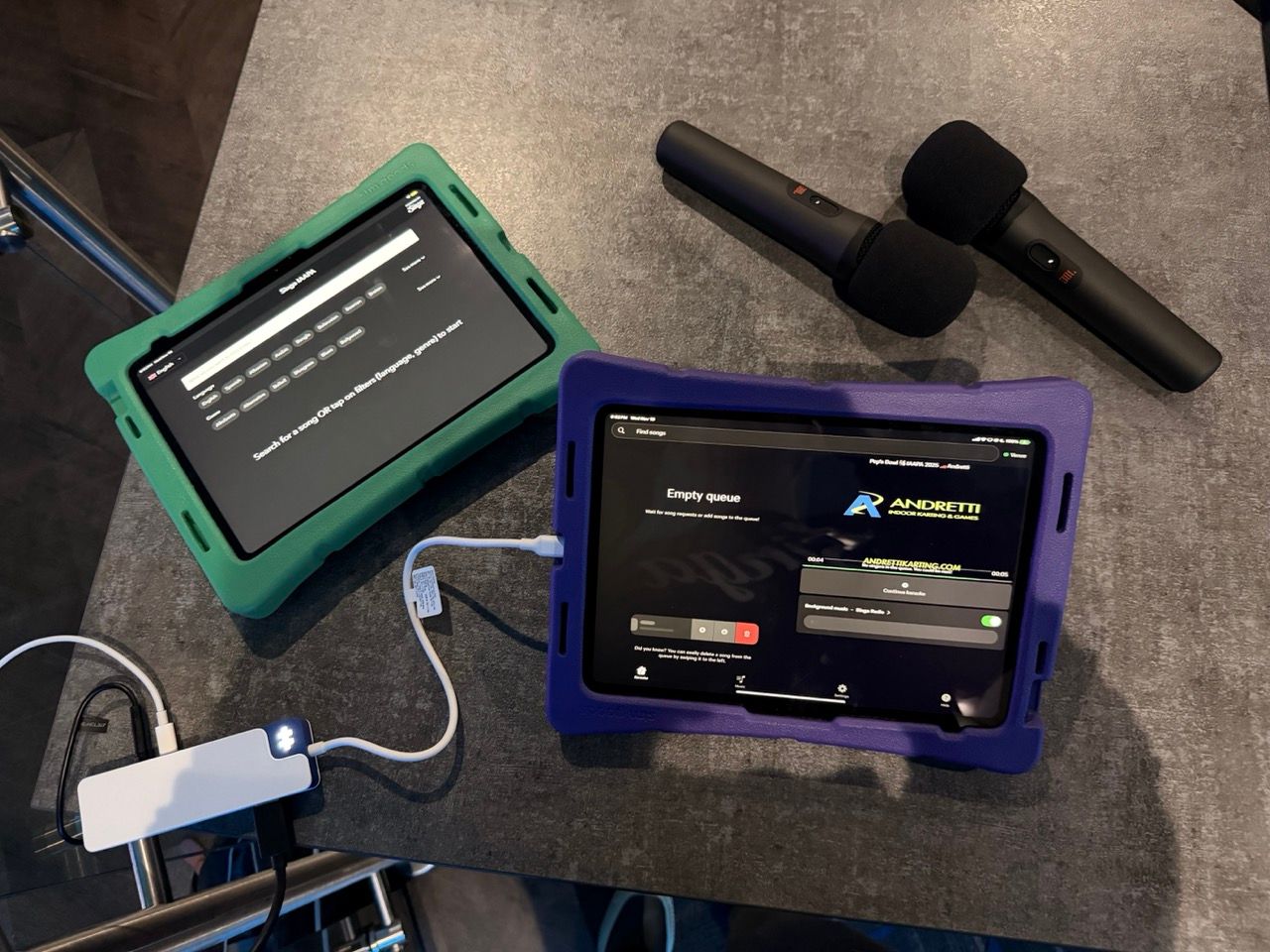
A more advanced karaoke setup can always include a mixer or additional audio gear, but for this pop-up the focus was fast assembly and smooth operation. That approach also shows how accessible karaoke can be for venues that want to try it without investing too heavily up front.
The equipment we used (and approximate pricing)
Here is the full kit we brought, all of it highly portable. I include links to the products on Amazon:
- JBL PartyBox 320, $499
- JBL wireless microphones, about $99–$149
- HyperDrive USB-C hub, about $40–$90. Make sure it has an AUX port!
- HDMI cable, about $10–$15
- AUX cable, about $10
- iPad A16 running Singa Pro, from $289. You should opt for higher storage if you plan to use Singa offline mode.
- iPad charger, about $10–$20, if you don't have one already.
- TV and power outlet provided by the venue
Optional Equipment:
- Two mic stands, about $25–$50
- 2nd iPad running a Singa discovery station (works on any tablet)
- Two iPad cases, about $30–$50 each
Final Costs:
Total for core equipment: $957–$1,072
Core + optional (without 2nd iPad): $1,042–$1,222
Core + Optional with iPad: $1,331–$1,551
Of course if you already have the equipment, like HDMI cables, an iPad, iPad chargers, a hyper drive, etc. the set-up becomes even more affordable.
While more professional and permanent karaoke set-ups benefit from a mixer and higher-end equipment. A good pop-up karaoke or proof of concept can easily be done with a JBL.
Only a few singers used the mic stands, so you could consider leaving those behind. The iPad cases were unexpectedly essential. Since we did not bring tablet mounts and were passing the iPads around to guests for song selection, having protection in place kept things stress free.
How we connected everything
The actual setup took only a few minutes once the order of operations was clear. Here is the process we followed.
1. Connect iPads with Singa to the venue’s Wi-Fi
This ensured Discovery Station and the KJ device stayed in sync.
2. Turn everything on
Powering the TV, speaker, mics, and iPads first avoids pairing hiccups later.
3. Start with the HDMI dongle
We plugged the HDMI cable into the HyperDrive first so visuals would go to the TV immediately.
4. Add audio second
After confirming video output, we plugged the AUX cable into the HyperDrive’s audio port to feed sound to the PartyBox.
We had a tiny troubleshooting moment at the start because the cables were connected in the wrong order (AUX first), so paying attention to sequence helps avoid unnecessary stress.
Safety and cable management
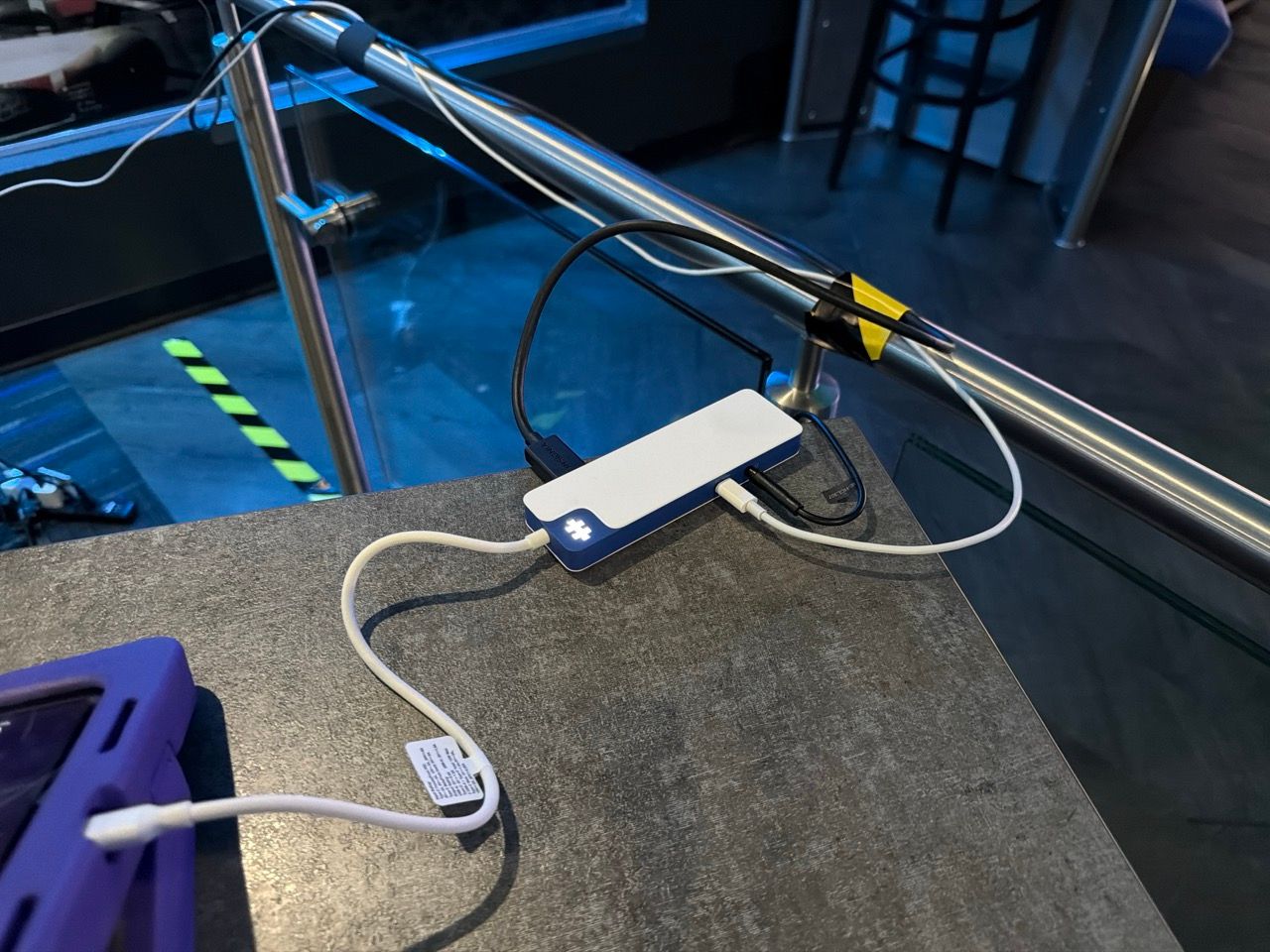
A simple detail made a big difference. We added a small caution marker where cables were running and pushed tables slightly away from the gear. This kept guests from bumping anything and prevented accidental unplugs. It is the kind of small step that feels optional until the venue gets crowded.
How the experience felt for guests
Once everything was running, Singa did the rest. Guests could request songs from the Discovery Station or directly from the KJ on Singa Pro. It was smooth, intuitive, and required almost no explanation.
A few highlights:
- Ads and banners displayed cleanly between songs promoted the event and venue
- Background music played automatically between songs, to give time for singers to get to stage while keeping the mood up
- Drag-and-drop queue updates made it easy to remove songs if someone left
- Wireless mics kept the energy up without people getting tangled in cables
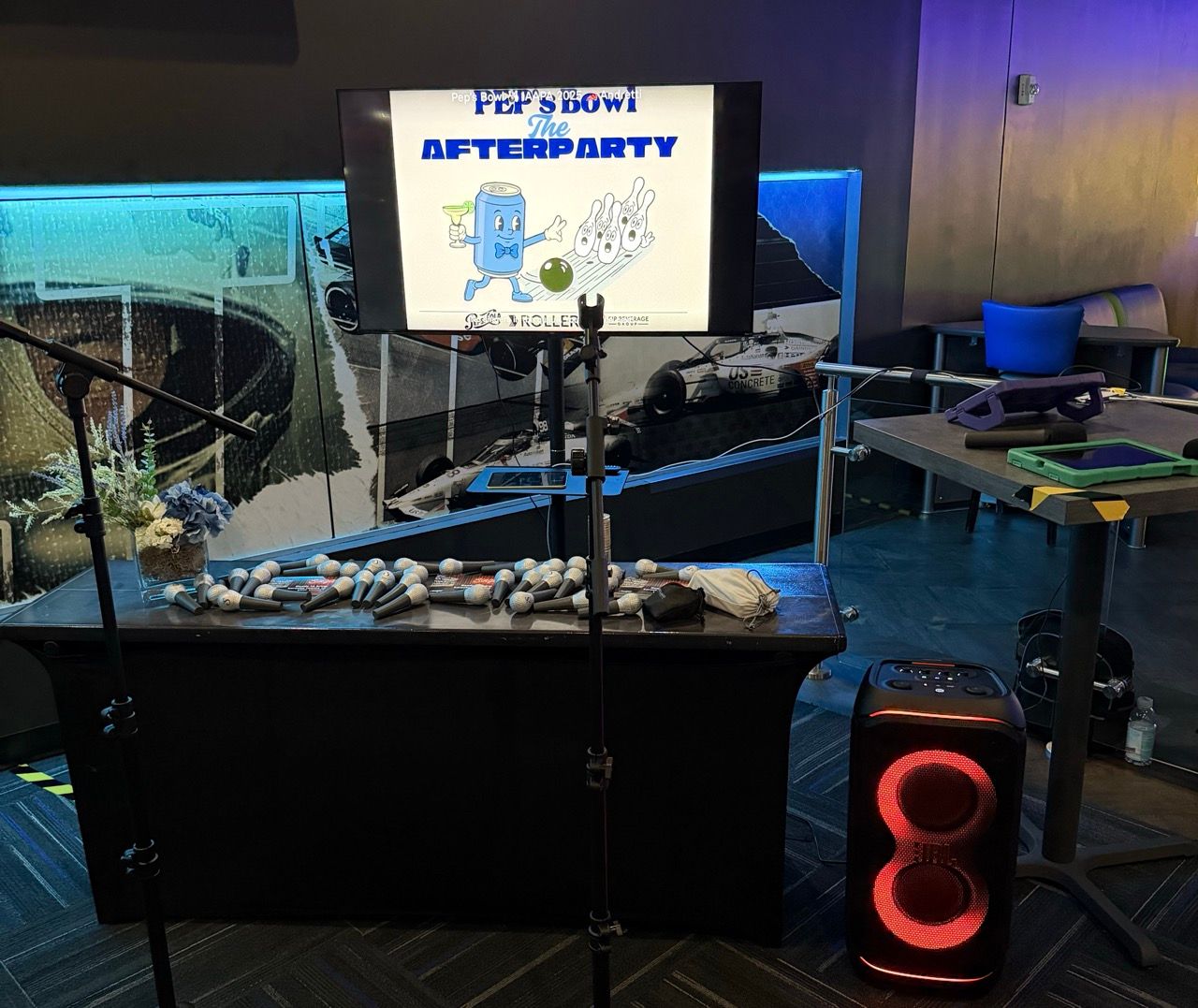
The setup felt polished despite being assembled last minute, which says a lot about the flexibility of Singa Pro. Innovation like this is why so many venues choose Singa for modern karaoke experiences.
Bring karaoke to life fast with the flexibility of Singa Pro
Karaoke doesn’t have to be intimidating, and Singa Pro proves it every time. With tools built for real-world venues, it gives you easy song management, background music control, ads and branded visuals between songs, and a drag-and-drop queue that keeps the night flowing smoothly.
dGuests can request songs through Discovery Station, the KJ can run everything from an iPad, and the whole experience feels modern and effortless. Why struggle with clunky systems or restrictive hardware when you can use something built to fit any setup?
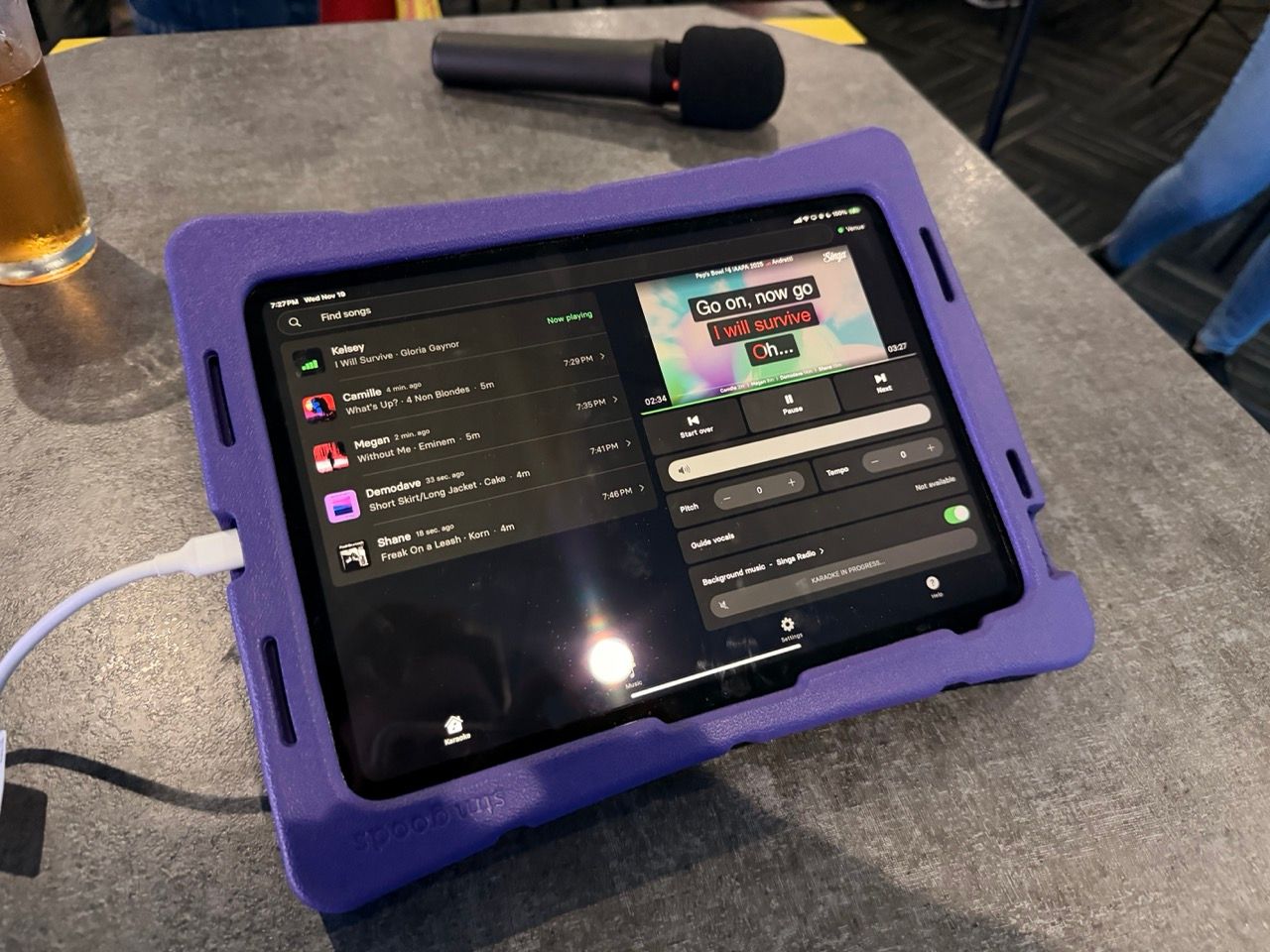
If you’re thinking about hosting a karaoke event or testing the idea in your venue, Singa Pro gives you the flexibility to start small and scale up whenever you want. And since it works with almost any AV system, you can get moving fast with gear you already have.
Curious how simple it can be? Learn more about Singa Business and see how Singa Pro can power everything from pop-ups to full-scale installations.
